
When you join a new chat group or receive an unsolicited direct message, verifying the sender helps keep your account secure. Interacting with an unverified kik messenger bot can expose you to phishing attempts, automated spam, and malicious links designed to harvest personal information. For people seeking tips on digital privacy and anonymity, checking profile details before responding is an essential habit.
Many users enjoy chat applications because they offer relative anonymity. However, this same anonymity makes these environments attractive targets for developers who deploy scrapers, affiliate link distributors, and scam operators. Identifying these accounts requires observing behavioral patterns rather than relying on profile pictures, which are easily cloned.
Understanding the Risks of Unverified Kik Conversations
When entering online spaces, understanding the nature of the systems you interact with is critical. Automated scripts can serve various purposes. Some are helpful tools that provide weather updates or games. However, unverified scripts often aim to compromise user privacy by scanning chats for vulnerabilities, harvesting active user lists, and sharing data with third-party databases.
On the AnonyPost homepage, we regularly discuss the importance of keeping your messaging habits private. When you chat with an unverified account, you risk revealing metadata that can trace back to your actual identity. These risks occur on every platform that allows open messaging. A single mistake, like clicking an unverified link or sharing a photo, can link your chat profile to your real identity.
The official Kik Privacy Policy explains how MediaLab collects, uses, and shares information across its services. Once a chat sends you to an outside site, that outside site’s own tracking and privacy rules may apply too. This is why verifying who is on the other side of a chat is your first line of defense. Knowing what tools and settings are available to reduce data exposure is key to maintaining your safety online.
How Automated Bots Differ from Malicious Impersonators
It is helpful to distinguish between different types of accounts you might encounter. A legitimate automated service is generally transparent. These accounts should identify their purpose, respond to specific commands, and operate within the official guidelines established by the platform. You can learn more about these guidelines on the Kik Bot Guidelines page. A safer bot experience starts with clear purpose, limited data requests, and behavior that matches the platform rules.
In contrast, spam bots and malicious impersonators hide their automated nature. A spam bot is designed to broadcast repetitive messages, often containing shortened links or redirects to external sites. They do not care about building a conversation; their sole goal is to get you to click. These bots often use provocative language or generic greetings to catch your attention and bypass basic filters.
An impersonator is a more sophisticated threat. This is often a human operator using a scripted approach, or an advanced bot designed to mimic human conversation. They might copy the profile photo and username of someone you know, or create a friendly profile to gain your trust. Their objective is usually to extract sensitive information, such as your email address, phone number, or payment details.
From time to time, rumors circulate online claiming that Kik is shutting down or that all bots have been banned. These rumors often create confusion among users who are trying to determine if their messaging app is still active. To avoid being misled by automated accounts spreading false updates, users should verify app status directly through official channels and app stores rather than trusting messages from unverified sources.
Key Indicators of Automated or Phishing Behavior
Spotting a bot or a phishing account is easier when you know what patterns to observe. Unlike real people, automated scripts follow strict code. This code leaves digital footprints that you can identify if you pay attention.
First, check the timing of the responses. An automated script responds almost instantly, often within milliseconds of you sending a message. Even if a bot is programmed to wait a few seconds to appear human, it will maintain a highly consistent response interval that does not match natural typing habits. Real people pause, make typos, and take breaks between replies.
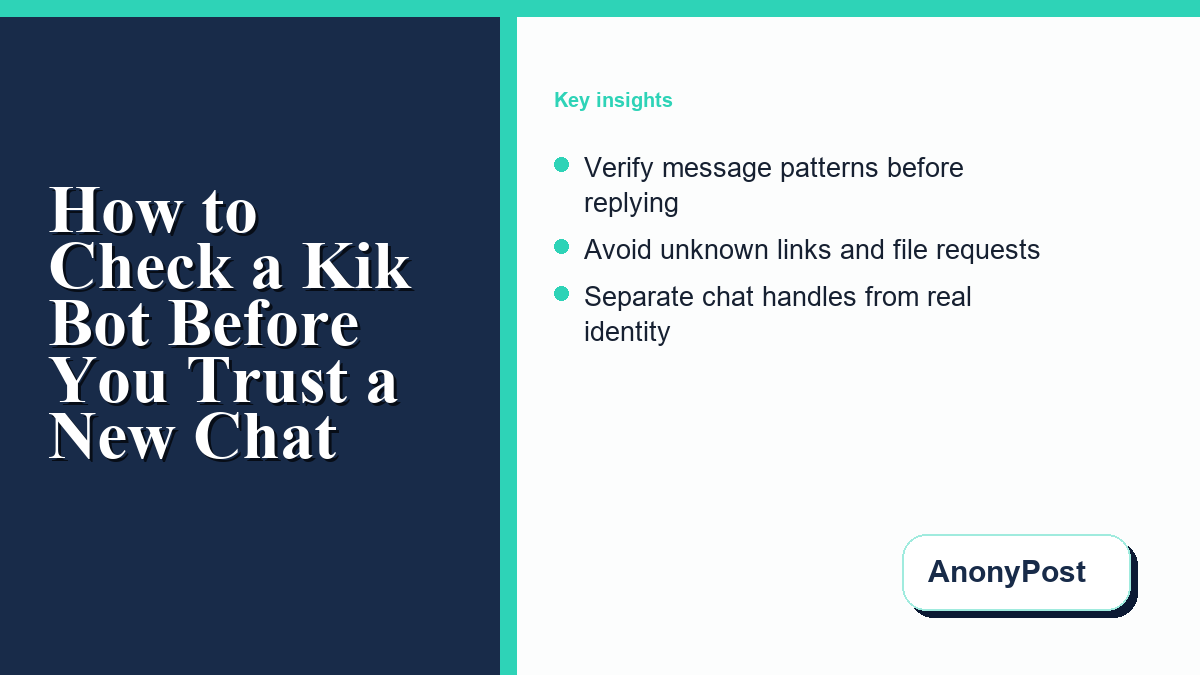
Second, analyze the structure of the messages. Many malicious scripts use templates. If you ask a complex question or change the topic, the account will ignore your input and continue sending its pre-written script. If the account keeps repeating the same phrases or redirecting the conversation back to a specific link, it is likely automated.
Third, look for suspicious links or files. If a new contact immediately asks you to click a link to ‘verify your age’ or ‘see my photos,’ treat it as a threat. The CISA phishing guidance advises against clicking on links or opening attachments from unknown sources, as these are common vectors for malware and credential theft.
Finally, notice requests for personal information or urgent statements. Malicious actors often create a false sense of urgency. They might claim that your account will be suspended, or that they have an urgent secret to share, forcing you to act quickly without thinking.
Comparing Account Behaviors and Verification
To help you evaluate who you are talking to, we have summarized the differences between legitimate accounts, spam scripts, impersonators, and normal users. Use this table as a quick reference when deciding whether to continue a conversation.
| Account Type | Verification Status | Response Timing | Primary Behavior | Link Safety |
|---|---|---|---|---|
| Legitimate Utility Bot | Clearly labeled, purpose is easy to understand | Instant, command-based | Responds only to prompts, provides utility/entertainment | Safe, links only go to official resources |
| Spam Bot | Unverified, disguised as a normal user | Near-instantaneous, repetitive | Sends unsolicited links, broadcasts templates | High risk, contains tracking or redirect links |
| Impersonator | Unverified, copies real user details | Varies, may simulate typing delays | Asks personal questions, builds fake trust | High risk, attempts to move you off-platform |
| Normal User | Unverified (individual account) | Natural typing speeds, irregular intervals | Engages in organic, multi-topic conversation | Generally safe, though caution is always recommended |
Essential Privacy Rules for Anonymous Messaging
Before you reply to any message from an unknown sender, establish a clear boundary for what details you will share. A primary rule of thumb is to assume that any information you send could become public.
For detailed strategies on maintaining your anonymity, check out the AnonyPost blog, where we cover topics ranging from secure web browsing to account management. When it comes to chat security, practicing proper kik bot safety involves keeping your personal data completely separate from your chat profile. This means your username should not include your real name or location, and your profile picture should be a generic image.
Never share the following details under any circumstances:
- Phone numbers and email addresses: These can be used to link your anonymous account to your real-world identity or track you across other social networks.
- Payment handles and financial information: Malicious accounts often request small transfers or direct you to payment portals under false pretenses.
- School, work, or location details: Small clues about your daily routine, your town, or your workplace can help bad actors compile a profile of your real life.
- Photos and files: Sent files can contain EXIF metadata, which reveals the exact GPS coordinates and time the photo was taken, as well as the device model.
If an account pressures you to share any of these details, or suggests moving the chat to a different application, stop communicating immediately. Legitimate contacts will respect your boundaries and will not demand that you reveal your real-world identity.
How to Take Control of Your Chat Security
If you identify a chat as automated, malicious, or spammy, the best action is to cut off communication immediately. Do not argue with the account or try to test its logic. Engaging with a bot, even to tell them to stop, confirms that your username is active and monitored, which can lead to your account being added to more active spam lists.
First, block the account. This prevents them from sending further messages or seeing when you are online. You can read the official instructions on how to Block someone to ensure the connection is completely severed. Once blocked, the conversation is removed from your active chat list, and the account can no longer reach you.
Second, report the account to the platform moderation team. Reporting helps improve spam filters for all users by flagging the signature patterns used by the script. You can review additional safety procedures in the Kik Safety section. When you report an account, the platform reviews the recent message history to determine if it violates their terms of service.
Finally, reduce your profile exposure wherever the current app version gives you that option. Use a username and profile image that do not identify your real name, school, workplace, phone number, or location. The less personal context your profile exposes, the harder it is for automated scraper tools to connect your chat account with your offline identity.
Frequently Asked Questions
Here are answers to some of the most common questions users ask about identifying and managing automated chats.
How can I tell if a Kik profile is a bot or a real person?
You can identify a bot by looking at response timing, message templates, and repetitive behavior. Bots usually reply instantly at any time of day, ignore complex or off-topic questions, and quickly guide the conversation toward a link or a request for personal details.
Are all bots on Kik malicious?
No, some bots are legitimate utility or entertainment tools built by developers. However, safer bots are clearly labeled, explain their purpose, and operate under platform rules. Hidden bots that pretend to be human should be treated as spam or phishing risks.
Should I click links sent by a Kik bot?
You should avoid clicking any links sent by unverified accounts or bots. These links often lead to phishing sites, malware downloads, or tracking pages designed to capture your IP address and other device metadata.
What should I do if a bot copies my friend’s profile?
If an account impersonates someone you know, verify the situation through another communication channel first. Once you confirm it is a duplicate account, block and report the impersonating account immediately using the platform’s reporting features to protect your network.
Can a bot steal my personal information if I don’t reply?
A bot cannot steal your private details simply by sending you a message. However, if you reply, click a link, or scan a QR code, you may reveal your IP address, browser information, or other profile details. The safest action is to block the account without responding.