
An unexpected offer for simple online tasks can create pressure to act before you know who controls the link. The message may promise flexible work, show a wallet screenshot, or move the conversation into a social page or private chat. None of those details proves that the operator is identified, the terms are stable, or a payout has occurred.
A privacy-first response is to separate verification from registration. You can inspect the destination, operator, written terms, permissions, and payment conditions without sending an identity document, one-time code, wallet PIN, or up-front transfer. That small pause protects both your account and your ability to judge the offer clearly.
Start With the Exact Link, Not the Name in the Message
Names, logos, and screenshots are easy to copy. Save the full URL and the message that delivered it, then inspect the domain before opening any form. Check for misspellings, unrelated domains, URL shorteners, download prompts, and a sudden move from an established page to a different account.
A page that loads establishes only that the address was reachable when you checked it. It does not prove the identity of the operator or the availability of work. If you are investigating a Chrome Encoding invitation, the Chrome Encoding verification guide records the current evidence limits and separates a resolving social trace from operator, task, and payout proof.
For broader privacy habits, Anonypost’s guide to researching online offers without exposing billing or contact details shows why the research account and the account you use for important services should remain separate.
Verify the Operator Before You Verify Yourself
A trustworthy registration path should identify the responsible business or person before it asks you to prove who you are. Look for a consistent business name, support address, privacy notice, terms, and a way to resolve disputes. Compare those details across the website, social profile, and any public company record that is relevant in your country.
Do not treat a large group, old page, or active comment thread as an identity check. Popularity can show that a name circulates, but it cannot tell you who controls every recruiter account or whether the current rules match earlier posts. Ask for the operator and terms in writing. If the answer is vague, rushed, or changes when you ask follow-up questions, stop.
Read the Work and Withdrawal Rules Before Creating an Account
Written terms should explain the work, how compensation is calculated, when a balance becomes eligible for withdrawal, which fees apply, what can close an account, and where support requests go. A dashboard balance or cropped receipt is not a substitute for those rules.
Be especially cautious when the conditions appear only after you have completed tasks or recruited other people. A changing threshold, surprise activation charge, or demand to add your own money changes the nature of the offer. The United States Federal Trade Commission’s current guidance on task scams warns about platforms that display supposed earnings and then require a deposit to unlock more tasks or withdraw the balance.
The simplest boundary is also the strongest: do not pay someone for the promise that they will pay you. A fee described as verification, activation, tax, insurance, recharge, or account recovery still needs an attributable written basis. If the operator cannot explain it before registration, do not fund it.
Use a Data-Minimization Ladder
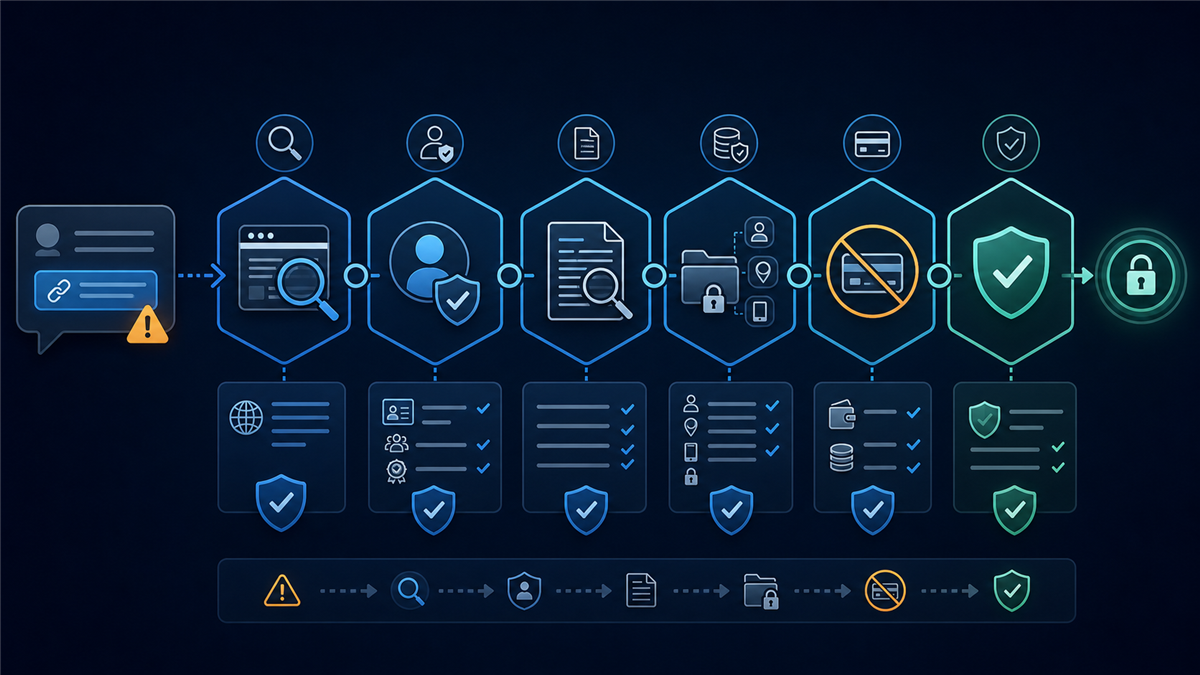
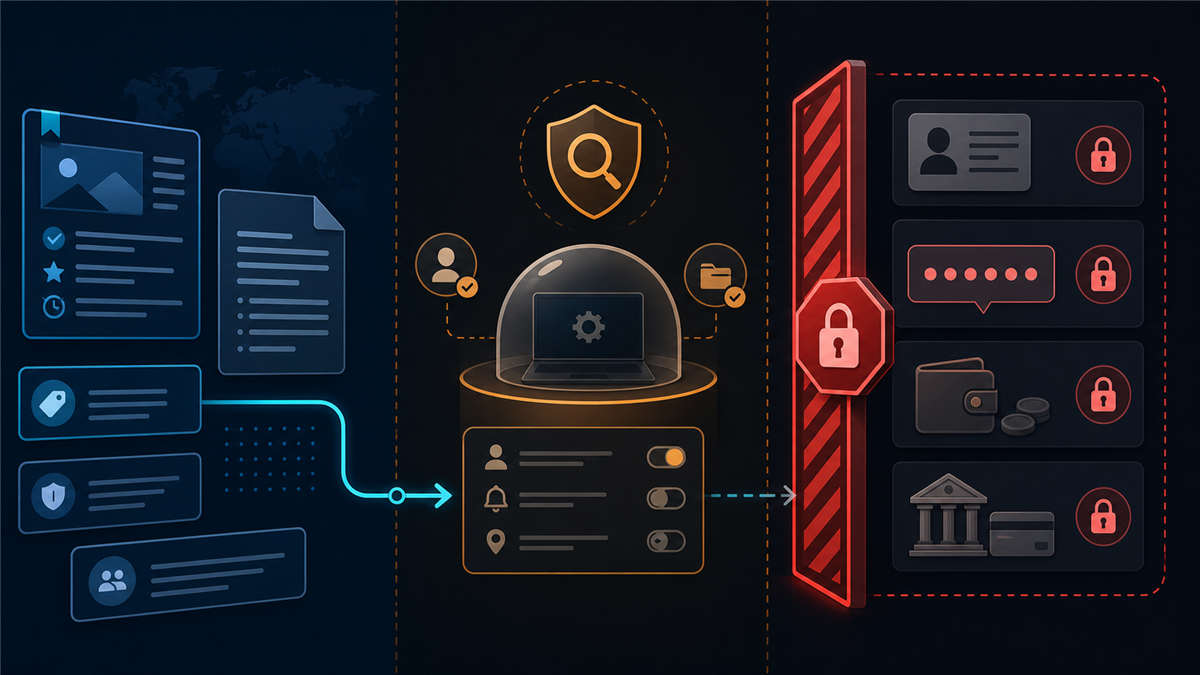
Not every check requires personal data. Begin with information that is already public and move to more sensitive steps only after the earlier evidence is strong.
- Public inspection: save the URL, page name, date, and stated rules.
- Operator check: confirm the responsible party and support channel.
- Terms check: review task, fee, privacy, and withdrawal conditions.
- Permission check: identify what the page or app can access and why.
- Minimal account test: use the least sensitive information allowed and do not connect important accounts unnecessarily.
- Independent transaction check: rely on a complete, attributable record rather than a promoter’s screenshot.
If a later step contradicts an earlier one, stop and preserve the evidence. Do not continue simply because you already spent time on registration.
Keep Identity, One-Time Codes, and Wallet Credentials Outside the Chat
An identity document can expose your full name, date of birth, address, document number, and image. A one-time code can authorize a login or transaction. A wallet PIN can provide direct account access. Those items should not be sent to a recruiter, comment thread, or private chat merely to release work or money.
GCash states that it will not ask for an MPIN or OTP and advises users to rely on official GCash pages and its Help Center. Its account-protection guidance also identifies unexpected job offers, pressure, unfamiliar links, and requests for personal information as warning signs.
When a legitimate service needs identity verification, the request should occur inside the service’s confirmed secure flow, with a clear explanation of who collects the data and why. A person in a social thread should not need to receive a copy of your document or a code generated for your wallet.
Treat Payment Screenshots as Leads, Not Proof
A screenshot can help you formulate questions, but it rarely shows the full transaction trail. It may omit the sender, recipient relationship, timestamp context, reversals, source of funds, or whether the image belongs to the person promoting the offer. Browser displays and images can also be edited.
Better evidence connects an identifiable operator, published terms, a dated transaction record, and an independent account of what happened. Even then, one person’s transfer does not guarantee that another person can register, receive tasks, or withdraw under the same conditions.
Keep your own record of every URL, message, requested payment, and transaction reference. If you believe you were tricked into sending money through GCash, use the official GCash scam-reporting process and preserve the details and screenshots it asks for.
Use a Small, Reversible Test Only After the Evidence Clears
A small test is not the first step. It comes after the operator, terms, permissions, and payment conditions are understandable. A reversible test should not require an up-front transfer, access to your main email, your contact list, a wallet PIN, or an identity document sent through chat.
Use a separate email address where appropriate, keep unique passwords, decline unnecessary browser notifications, and avoid files or extensions sent by a recruiter. If a platform says you must weaken account security to participate, the test has already failed.
Anonypost’s checklist for checking a new chat contact before trusting it provides a parallel process for inspecting identity, permissions, and off-platform redirects.
What to Do When the Story Changes
Stop when a recruiter changes the domain, fee, withdrawal threshold, contact account, or explanation after you have started. Save the original and new instructions. Do not send additional money to recover an earlier transfer, and do not share a one-time code to confirm a refund.
If an important account may be exposed, change its password from a trusted device, review active sessions, enable the security features offered by the provider, and contact the provider through its official support path. Block the suspicious account only after preserving the evidence you may need for a report.
Frequently Asked Questions
Does a working registration page prove an online task offer is legitimate?
No. It proves only that the page resolved. Operator identity, written terms, task availability, privacy handling, and payment performance require separate evidence.
Should I pay a fee to unlock task earnings?
Do not pay for the promise of being paid. Stop and verify the operator and written basis independently before any transfer.
Can I send an OTP or MPIN to a recruiter helping with withdrawal?
No. Keep one-time codes and wallet PINs inside the confirmed provider flow and never disclose them in a chat or comment thread.
Is a GCash screenshot reliable payout proof?
It is a lead to investigate, not proof by itself. Look for the complete, attributable transaction context and the operator’s published terms.
What should I save if I suspect a scam?
Preserve the full URLs, account names, messages, requested amounts, dates, transaction references, and screenshots, then use the relevant provider and authority reporting channels.